
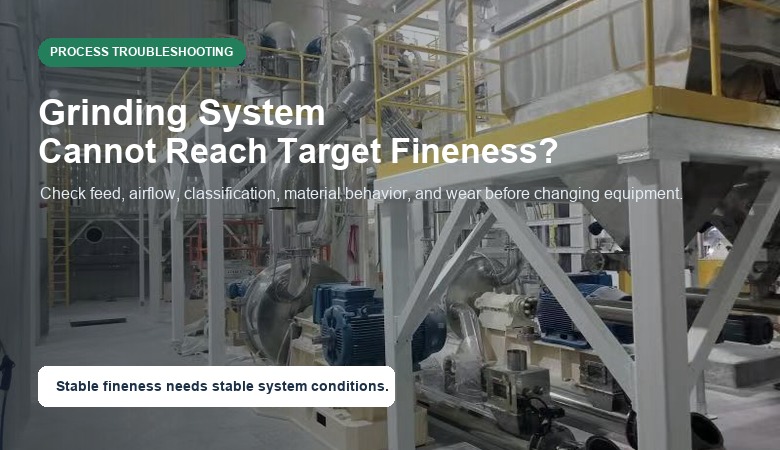
One of the most common problems in powder processing is this: the grinding system is running, but the final powder cannot consistently reach the target fineness. The mill may sound normal, the fan may be operating, and powder may still be collected, but the particle size distribution keeps drifting outside the required range.
In real production, this problem is rarely caused by one isolated part. A grinding system includes feeding, grinding, classification, airflow, dust collection, material behavior, and operator settings. If one part becomes unstable, the final D50, D90, or D97 can move away from the target.
This article explains the common reasons a grinding system cannot reach the target fineness and how to troubleshoot the problem before assuming the equipment itself is wrong.
Quick Answer
- Target fineness problems usually come from system imbalance, not only the main mill.
- Unstable feed size or feed rate can reduce grinding efficiency and widen particle size distribution.
- Classifier speed, airflow, and system pressure must be matched to the target D97 or top cut.
- Moisture, stickiness, agglomeration, and worn parts can prevent the system from reaching stable fineness.
- If the technology was selected incorrectly, adjustment may not solve the problem without process redesign.
Reason 1: Feed Size or Feed Rate Is Unstable
The first thing to check is the feed. If feed size changes from batch to batch, the grinding system receives different loads. Coarser feed requires more grinding energy and may reduce capacity. If the feed rate fluctuates, the classifier and airflow may also become unstable.
For a jet mill, feed size affects particle acceleration and collision efficiency. For an impact mill, oversized feed may increase wear and reduce classification stability. Even when the mill model is correct, unstable feeding can make the final fineness inconsistent.
A practical troubleshooting step is to record feed size, feed rate, motor load, air pressure, and final PSD at the same time. If the final product becomes coarser when feed rate increases, the system may be overloaded.
Reason 2: Classifier Speed or Airflow Is Not Matched
In many fine powder systems, classification controls final product quality. The mill reduces particle size, but the classifier decides which particles enter the final product and which particles return for further grinding.
If classifier wheel speed is too low, coarse particles may pass into the final product. If airflow is too high or too unstable, particles may be carried through the classifier before proper separation. If airflow is too low, capacity may drop and material circulation may become unstable.
This is why an air classifier should be evaluated as part of the whole system. Classifier speed, airflow, fan performance, ducts, cyclone, bag filter, and negative pressure all influence final fineness.
Reason 3: Moisture or Agglomeration Changes Material Behavior
Moisture is a common hidden reason for fineness problems. Even a small change in moisture can make powders stick to equipment surfaces, form agglomerates, block feeding, or reduce classification efficiency.
Some materials also agglomerate after grinding because fine particles have higher surface area. In this case, the particle size test may show coarse particles even though the mill is producing fine powder. The problem may be agglomeration rather than insufficient grinding.
Before changing machine settings, check whether the material needs drying, cooling, dispersing, or a different feeding method. For heat-sensitive or sticky materials, process conditions may matter as much as mill speed.
Reason 4: Wear Parts Reduce Grinding Efficiency
Wear parts gradually change system performance. Rotor tips, liners, nozzles, grinding surfaces, classifier wheels, and seals may still look usable at first glance, but small wear can reduce impact force, airflow direction, classification accuracy, or sealing stability.
A system that reached the target fineness during commissioning may start producing coarser powder after months of operation. If process settings did not change, inspect wear parts and compare current performance with earlier records.
For abrasive minerals, ceramics, and some chemical powders, wear should be included in routine maintenance planning. The right material-contact design also helps reduce contamination and maintain stable performance.
Reason 5: Dust Collection or Negative Pressure Is Unstable
Dust collection is sometimes treated as an auxiliary part, but it directly affects airflow balance. If the bag filter is blocked, the fan is not operating correctly, or duct resistance changes, the grinding and classification process can become unstable.
Unstable negative pressure may change residence time, reduce powder transport efficiency, or cause coarse particles to pass through the system. In some cases, operators increase mill speed to compensate, but the root problem is actually airflow or dust collection.
When troubleshooting fineness, check differential pressure, fan frequency, filter condition, air leakage, and duct blockage. Stable airflow is often necessary for stable particle size.
Reason 6: The Wrong Grinding Technology Was Selected
Sometimes the system cannot reach the target because the selected technology does not match the material or particle size requirement. A machine may be suitable for one material but unsuitable for another material with different hardness, moisture, heat sensitivity, or target particle size data.
For example, a mechanical system may not be ideal for a very heat-sensitive ultra-fine powder. A jet mill may reach fine particle size but may not be economical for every high-capacity mineral application. An impact mill may be practical for many fine grinding projects but still needs correct classifier configuration.
If adjustment cannot solve the problem, review whether the process route is correct. The answer may be material testing, adding classification, changing pretreatment, or redesigning the system configuration.
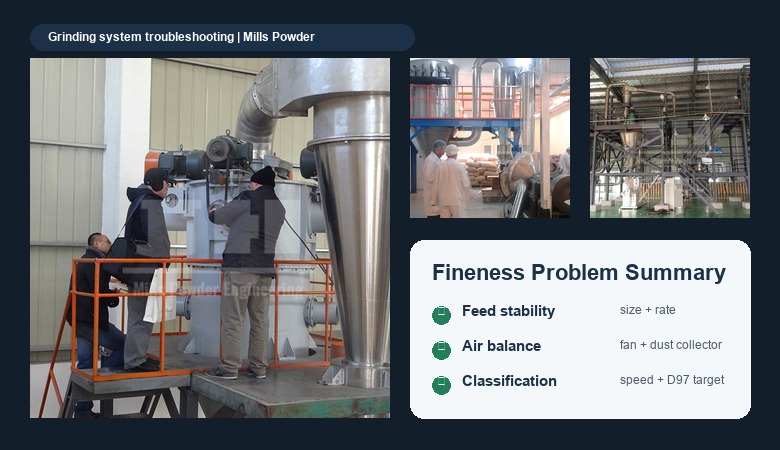
Practical Troubleshooting Checklist
| Check item | What to review | Why it matters |
| Feed condition | Feed size, feed rate, moisture, bulk density | Unstable feed creates unstable grinding load |
| Classifier settings | Wheel speed, airflow, coarse return | Controls D97 and top cut |
| Air system | Fan, ducts, cyclone, bag filter, leakage | Affects transport and classification balance |
| Material behavior | Stickiness, agglomeration, heat sensitivity | Can make fine powder behave like coarse powder |
| Wear parts | Rotor, liner, nozzle, classifier wheel, seals | Wear reduces grinding and separation efficiency |
| Target data | D50, D90, D97, capacity, application | Prevents chasing the wrong specification |
FAQ
Why does particle size become coarser during production?
Common causes include feed rate changes, classifier mismatch, airflow instability, material moisture, agglomeration, worn parts, or dust collection problems.
Should I increase mill speed when fineness is not enough?
Not immediately. Higher speed may increase heat, wear, and energy use. First check feed condition, classifier speed, airflow, and material behavior.
Can an air classifier solve coarse particle problems?
It can help when coarse particles are caused by poor classification, but it must be matched with airflow, feed rate, and grinding capacity. Classification alone cannot fix every process issue.
Why was the test result good but production result unstable?
Lab or pilot tests may use more controlled feed and operating conditions. Full production adds variables such as feed fluctuation, dust collection load, wear, and layout conditions.
When should material be retested?
Retesting is useful when raw material source changes, moisture changes, target D97 becomes stricter, capacity increases, or the current system cannot reproduce earlier results.
What data should I send for troubleshooting?
Send material name, feed size, target D50/D90/D97, actual test report, capacity, moisture, equipment configuration, operating parameters, and photos of the system layout if available.
Conclusion
When a grinding system cannot reach the target fineness, the best response is not always to increase speed or replace the mill. The first step is to diagnose the whole process: feed condition, classification, airflow, material behavior, wear, dust collection, and target data.
If your system is producing unstable fineness or too many coarse particles, contact Mills Powder with your material name, target D50/D90/D97, actual particle size report, capacity, and current process conditions. Our team can review the information and help evaluate the likely cause and suitable grinding or classification adjustment.